
Keeping cables and chargers organized can be a challenge, especially with the number of devices we use daily. Tangled cords and cluttered spaces not only look messy but can also cause frustration and even damage your electronics over time. Fortunately, with a few simple strategies and tools, you can keep your cables and chargers neat, accessible, and tangle-free. In this post, we’ll explore practical tips and solutions to help you organize your cables effectively.
Why Organize Your Cables and Chargers?
Before diving into the how-to, it’s helpful to understand why organizing cables matters:
– Improved safety: Prevents tripping hazards and accidental unplugging.
– Enhanced longevity: Reduces wear and tear on cables.
– Easier access: Saves time when you need a specific charger or cable.
– Cleaner space: Creates a more pleasant and efficient environment.
Whether you’re managing your home office, entertainment center, or travel kit, these tips will make your life easier.
Assess Your Cable Collection
Start by gathering all your cables and chargers in one place. This helps you see what you have and decide what to keep or discard.
– Sort by type: Group similar cables together (USB, HDMI, power adapters, etc.).
– Check functionality: Test cables and chargers; toss those that no longer work.
– Label important cables: Use tags or stickers to mark cables for specific devices.
Decluttering your cables is the first step toward a streamlined storage system.
Choose the Right Storage Solutions
Having the right tools makes cable organization much easier. Here are some popular options:
Cable Clips and Holders
These small accessories stick to surfaces and hold cables in place. Use cable clips to keep charging cords within reach on your desk or nightstand.
Cable Sleeves and Tubing
Cable sleeves bundle multiple cords into one neat tube, reducing tangling and protecting cables from damage.
Cable Ties and Velcro Straps
Reusable ties bind cables together tightly without damaging them. Velcro straps are especially useful because they’re easy to remove and reposition.
Drawer Organizers and Boxes
If you prefer to store cables out of sight, use compartmentalized boxes or drawer organizers. Assign each section to a specific cable type or device.
Charging Stations
Dedicated charging stations or docks help centralize chargers in one spot, reducing clutter on countertops.
Organizing Tips for Different Spaces
Desk and Home Office
– Use cable clips to route cords along the back or underside of your desk.
– Bundle excess cable length with Velcro straps.
– Position a charging station on your desk for easy access.
Living Room and Entertainment Center
– Use cable sleeves to hide cords behind your TV or media units.
– Secure cables to furniture legs with clips to avoid tangling.
– Label cables that connect to different devices for quick identification.
Travel and On-The-Go Cables
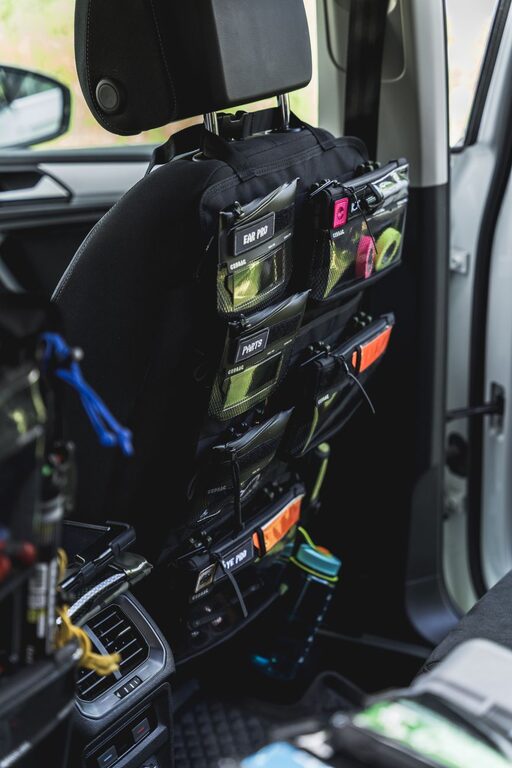
– Use small pouches or travel organizers with compartments to keep chargers and cables separated.
– Label cables to save time when packing or unpacking.
Step-by-Step Cable Organization Process
- **Unplug and Collect:** Disconnect all cables and chargers from devices and gather them.
- **Sort and Declutter:** Separate cables by type and discard damaged ones.
- **Label:** Attach washable labels or tags for easy recognition.
- **Bundle Excess Length:** Use Velcro straps or ties to shorten long cables.
- **Route and Secure:** Use clips or sleeves to guide cables neatly around your workspace.
- **Store Properly:** Place unused cables in labeled boxes or organizers.
- **Maintain:** Revisit your system regularly to keep it tidy and efficient.
Additional Tips for Cable Care
– Avoid bending cables sharply to prolong their lifespan.
– Keep cables away from heat sources or sharp edges.
– Charge devices on stable surfaces to prevent tugging on cables.
– Consider wireless charging options where possible to reduce cord clutter.
Final Thoughts
Organizing cables and chargers doesn’t have to be a daunting task. With a little effort and the right tools, you can enjoy a clutter-free and safer space. Plus, having your cables neatly arranged saves time and reduces stress when you need to charge your devices or connect equipment. Try these tips today and enjoy the benefits of a well-organized cable setup.
Happy organizing!
About the Author